Introduction
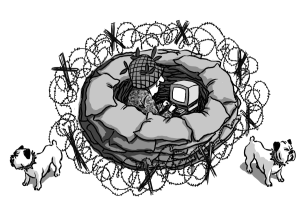
Finally, a complete guide to system hardening, online anonymity, encryption, and data hygiene for Windows and Linux, written in plain language for everyday computer users. The book offers easy-to-follow, yet truly comprehensive, tutorials for protecting your privacy, preventing system attacks, and, most importantly, avoiding difficulties from buggy programs and software laced with hidden functions and secret networking capabilities.
About the Author
Thomas C. Greene serves as Associate Editor of The Register, the leading independent IT news daily, based in London, where he has been an editor and columnist for over six years. From his office in Washington, DC, Tom covers cybercrime, computer and network security, and Washington politics and legislation related to information technology.
From the Author
Dear Reader,
The media bring us daily reports of malicious hacking, virus and worm outbreaks, spyware infestations, privacy invasion, identity theft, and commercial profiling via the Internet. We hear much about these threats, yet we're rarely told how realistic each one is, or offered much help in avoiding them. Books covering computer security tend to fall into two categories: technical manuals that can't be deciphered without substantial prior knowledge, and books for end users offering little more than a few simplistic bromides about firewalls and antivirus software. What's long been lacking is a computer security and privacy manual that's both understandable to the average user, yet truly comprehensive and effective. So I decided to write one.
In this book you'll find patient, step-by-step tutorials for protecting your privacy, surfing the Web anonymously, protecting children from inappropriate Web content, and hardening your Windows or Linux system against attacks from outside, and, more importantly, from within -- from buggy software, malware, and poor system configurations.
We will look closely at the security weaknesses of both Windows and Linux, and learn to overcome them with a little work and knowhow, but without expensive, proprietary solutions. We will consider the advantages and disadvantages of migrating from Windows to Linux, a step that can greatly simplify computer security, especially for the novice user.
There is also a good deal of background material in the book that will demystify computer security and help you to become a better judge of the threats you need to worry about, and the ones you can safely dismiss. There is a whole security and antivirus racket devoted to frightening us with dire threats, encouraging us to overspend on mediocre security products and services. But in truth, it's neither difficult nor expensive to harden a computer system or small network with sensible configurations and inexpensive, and often free, tools. Nor is it at all difficult to frustrate malicious hackers, virus writers and privacy invaders.
Computer security and online privacy are not black arts; you can learn them, and you will.
-- Thomas C. Greene